Download MyanPing for PC
One small app. Turn boost on and play: MyanPing picks the route for each game automatically.
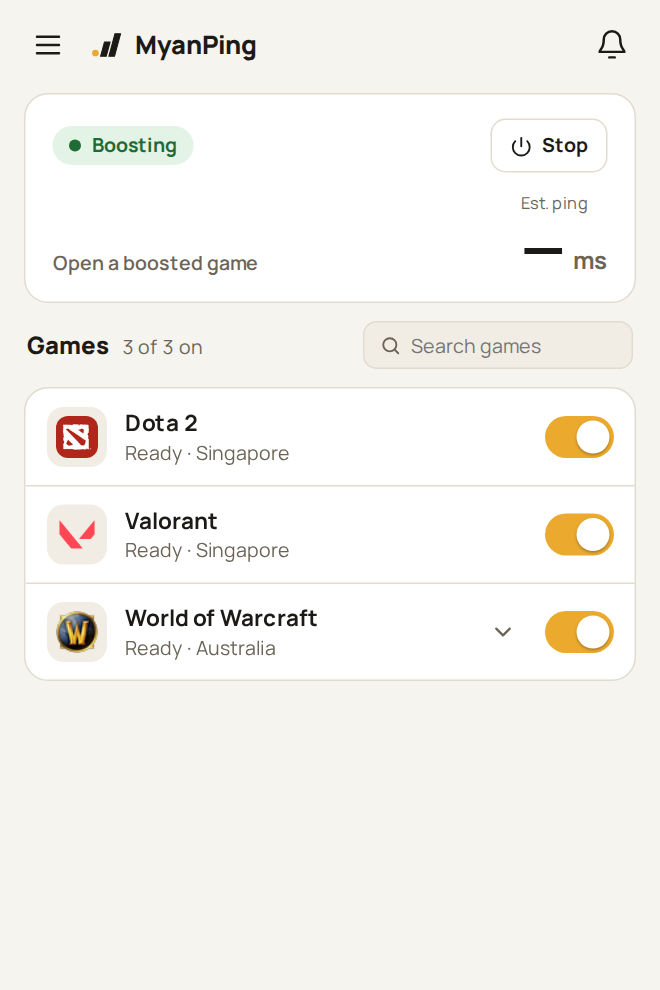
Up and running in 3 steps
- 1DownloadGet the installer for your system.
- 2InstallOpen the file and follow the steps. If Windows says it protected your PC, choose More info → Run anyway.
- 3Sign in and playSign in with your MyanPing email and password, turn boost on, and start your game.
A lightweight app, with an optional VPN mode
Available in MyanPing for Windows. Standard Boost is included; VPN coexistence mode is an optional download.
Play with MyanPing only
The main installer is about 25 MB and includes Standard Boost. No extra download is needed for normal gaming. This is the recommended way to play.
VPN coexistence mode
Need another VPN running? Open Menu → Settings to download this optional, experimental mode. After downloading, use its on/off switch. Turning it off keeps the download for next time.
Standard Boost works alongside another VPN that only routes some apps, for example Jump Jump set to Discord only. If your internet cuts out while both are on, set the other VPN to route only the apps you need, or turn on coexistence mode. MyanPing never closes your other VPN.
Turn Boost off before downloading or changing the mode, and make changes between matches. Downloading does not enable it automatically. Settings includes a Turn Boost off button.
Open the hamburger menu at the top left for Settings, Updates, Language and Account. Updates has its own page; MyanPing still checks for updates automatically.
Other systems
Windows
Windows 10 or 11. Run the installer, then sign in with your MyanPing email and password.
macOS
A Mac app is on the way.
Linux
Ubuntu, Debian, Mint, Fedora, Arch, Steam Deck and more · 64-bit
Steam Deck
Hold the power button → Switch to Desktop. Open Konsole (app menu → System → Konsole) and run these two lines. passwd is only needed once, if you never set a password: installing asks for it.
- 1passwd
- 2curl -fsSL https://myanping.com/install.sh | sh
MyanPing opens and appears in the app menu. To start it from Game Mode: app menu → right-click MyanPing → Add to Steam.
Using Decky Loader? While Boost is on, installing and updating Decky plugins also goes through MyanPing.
Game Mode: Decky Loader plugin
Already use Decky Loader? Control MyanPing from Game Mode's Quick Access menu, with no password and no Desktop Mode.
- Press the … button → Decky → ⚙️ Settings → Developer.
- Under Install Plugin from URL, enter the link below and press Install.
- Open MyanPing in the Decky plugin list and press Install booster.
- Sign in with your MyanPing email and password, then turn Boost on before you start a game.
- 1https://myanping.com/dl/MyanPing-decky.zip
Use either the plugin (Game Mode) or the MyanPing app (Desktop Mode), not both at once: their tunnels conflict. Turn Boost off in one before using the other.
Updates
Windows
Updates itself. Open Menu → Updates to check now; new versions install when you choose.
Linux · Steam Deck
MyanPing tells you when a new version is out. Open a terminal (Steam Deck: Konsole in Desktop Mode) and run the update command: it closes MyanPing, updates it and keeps your sign-in.
Update
- 1curl -fsSL https://myanping.com/install.sh | sh
If Boost still won't start: clean reinstall (removes the app and its Boost setup first; your sign-in is kept)
- 1curl -fsSL https://myanping.com/install.sh | sh -s -- --reinstall
Uninstall (your sign-in and settings stay in ~/.local/share/com.myanping.app)
- 1curl -fsSL https://myanping.com/install.sh | sh -s -- --uninstall